The quick way: Shift + F3
- Select the text you want to change.
- Press Shift + F3. Each press cycles through lowercase, UPPERCASE and Capitalize Each Word.
- Stop when the text looks right.
On many laptops and on Mac keyboards the F-keys control brightness and volume by default. If nothing happens, press Fn + Shift + F3 instead.
The same shortcut works in PowerPoint and in Outlook for Windows, which uses Word’s editor for e-mails.
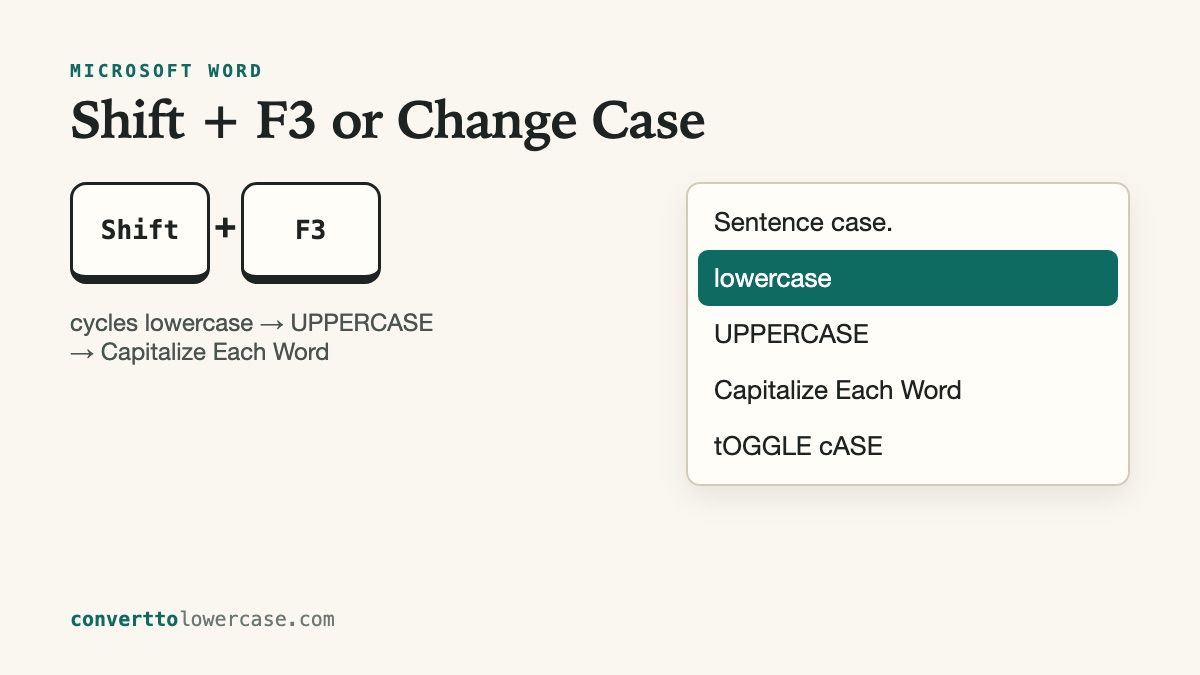
Using the Change Case menu
Windows: select the text, go to the Home tab and click the Change Case button (it shows “Aa”). Choose one of:
- Sentence case. — capitalises the first word of each sentence
- lowercase
- UPPERCASE
- Capitalize Each Word
- tOGGLE cASE — swaps every letter
Mac: select the text and use Format → Change Case…, or the same “Aa” button on the Home tab.
Convert your text here
Prefer to skip the menus? Paste the text below — it converts live.
0 characters · 0 words · 0 lines · 0 letters changed
Options
Text that looks uppercase but will not change
Sometimes Shift + F3 seems to do nothing because the text is not really written in capitals — it is formatted with the All caps font effect. The letters underneath are lowercase; Word only displays them as capitals.
- Select the text.
- Press Ctrl + Shift + A on Windows (⌘ + Shift + A on Mac), or open Font settings and untick All caps.
The same applies to Small caps (Ctrl + Shift + K). Headings in some templates use these effects, so changing the style itself may be the cleaner fix.
Changing case without Word
If you are working in a browser, a PDF or an app without a case option, copy the text into the converter above, pick the case and paste the result back. Line breaks are preserved.
Frequently asked questions
What is the shortcut to change uppercase to lowercase in Word?
Select the text and press Shift + F3. Each press switches between lowercase, UPPERCASE and Capitalize Each Word. On some keyboards you need Fn + Shift + F3.
Why can’t I change all caps text to lowercase in Word?
The text is probably formatted with the All caps effect. Select it and press Ctrl + Shift + A (Cmd + Shift + A on Mac) to remove the effect.
Can Word do sentence case?
Yes. Use Home → Change Case → Sentence case. Shift + F3 does not include sentence case in its cycle.